Track Your Crypto Portfolio
Open-source portfolio tracker with advanced analytics, hardware ticker integration, and AI assistant support.
Everything You Need
From basic portfolio tracking to advanced analytics and external integrations.
Portfolio Overview
Track holdings, allocation breakdown, and real-time profit & loss across all your crypto assets.
Advanced Dashboard
12+ interactive charts — net worth, heatmaps, allocation trends, BTC ratios, trading volume, and more.
Transaction Management
Add, edit, and delete trades with CSV import, full-text search, date range filters, and pagination.
Cash Flow Analysis
Visualize money in and out with detailed cash flow breakdowns and yearly summaries.
Tax Reports
Calculate capital gains with FIFO, LIFO, HIFO, and LOFO cost basis strategies. Only fiat-to-crypto transactions are considered taxable events.
API Key System
Generate secure API keys to connect external integrations and hardware devices to your portfolio.
Hardware Ticker
Drive e-ink display devices showing live portfolio data, asset prices, and allocation charts.
AI Assistant (MCP)
10 tools for Claude Desktop, Cursor, and other MCP-compatible AI assistants to query your data.
Powerful Analytics Dashboard
12+ interactive charts designed for both desktop and mobile.
Integrations
Connect external devices and AI assistants to your portfolio data.
Hardware Ticker Display
Connect a Cardano Ticker or similar e-ink display to show live portfolio data on your desk. The device shows BTC price, portfolio value in multiple currencies, allocation pie chart, and 7‑day performance — all updating automatically via the Ticker API.
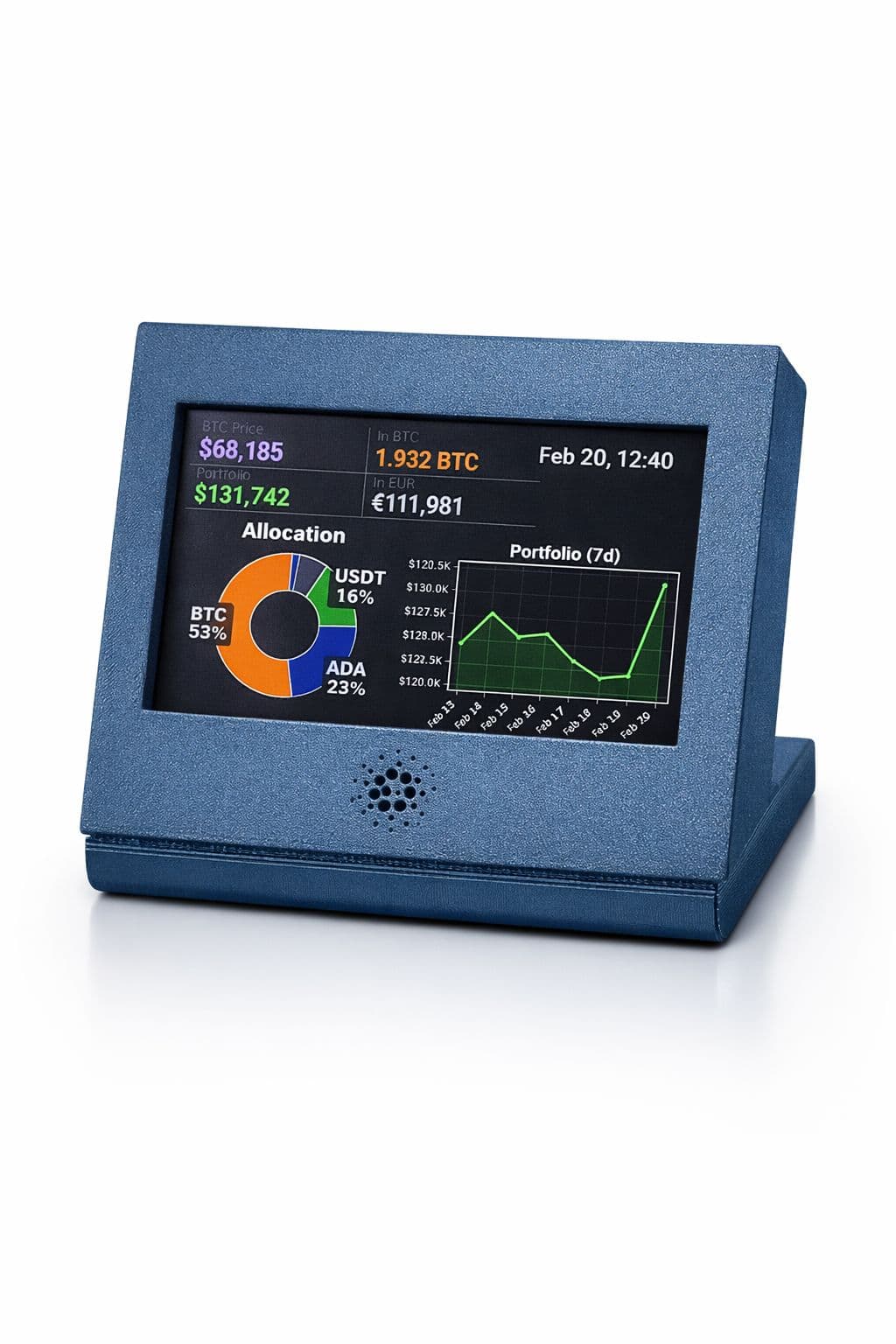
Open-source hardware project: en7angled/CardanoTicker
GET /api/ticker/portfolioGET /api/ticker/portfolio/historyGET /api/ticker/assetsAuthenticate with X-API-Key header. Generate keys from Settings.
AI Assistant (MCP)
Use the Portfolio MCP Server to query your data through Claude Desktop, Claude Code, Cursor, or any MCP‑compatible AI assistant. 10 tools cover holdings, transactions, cash flow, tax reports, and price data.
{
  "mcpServers": {
    "portfolio": {
      "command": "python",
      "args": ["-m", "portfolio_mcp.server"],
      "env": {
        "PORTFOLIO_API_URL": "https://your-site.com",
        "PORTFOLIO_API_KEY": "tk_your_api_key"
      }
    }
  }
}
Example prompts
- How's my portfolio doing?
- What are my top holdings?
- Log a buy of 0.5 BTC at $68,000
- What's my tax liability for 2025?
Get Started in Minutes
Create Your Account
Sign up with email or Google OAuth. Verify your email to activate your account.
Create a Portfolio
Set up your first portfolio from the Overview page. You can manage multiple portfolios.
Add Transactions
Log your buys, sells, deposits, and withdrawals. Import from CSV for bulk entry.
Explore the Dashboard
View 12+ interactive charts tracking performance, allocation, P&L, and market trends.
Set Up Integrations
Generate an API key from Settings to connect your hardware ticker or AI assistant.